Open with Commissions Displayed lets authorized users view estimated first-year commissions while comparing quotes in Quote & Apply. You can see estimated earnings alongside premiums, review the calculation, and sort quotes by highest commission.
Open an Application with Commissions Displayed
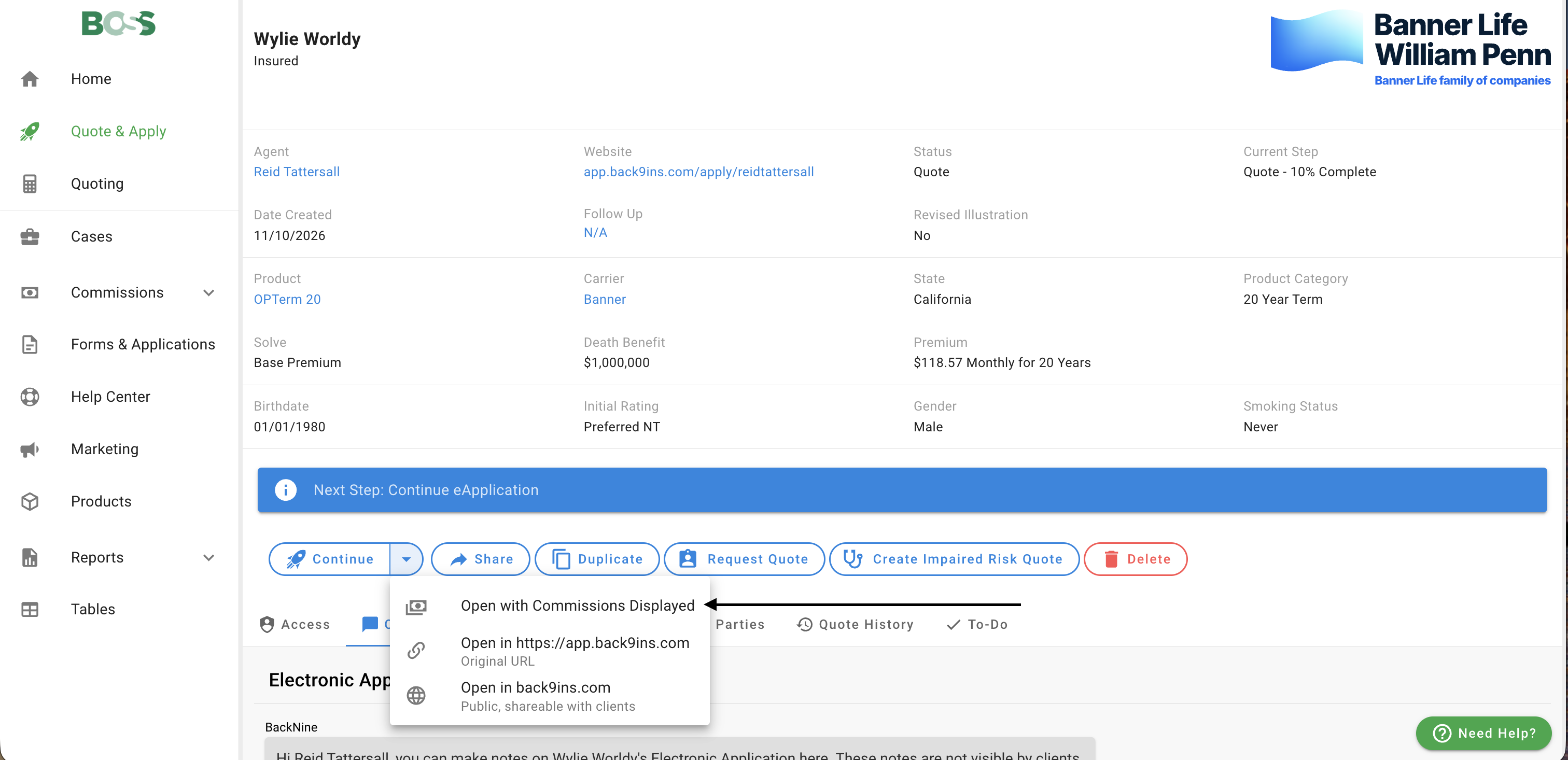
- Sign in to BOSS and open the Quote & Apply application you want to review.
- Click the dropdown arrow next to Continue.
- Select Open with Commissions Displayed.
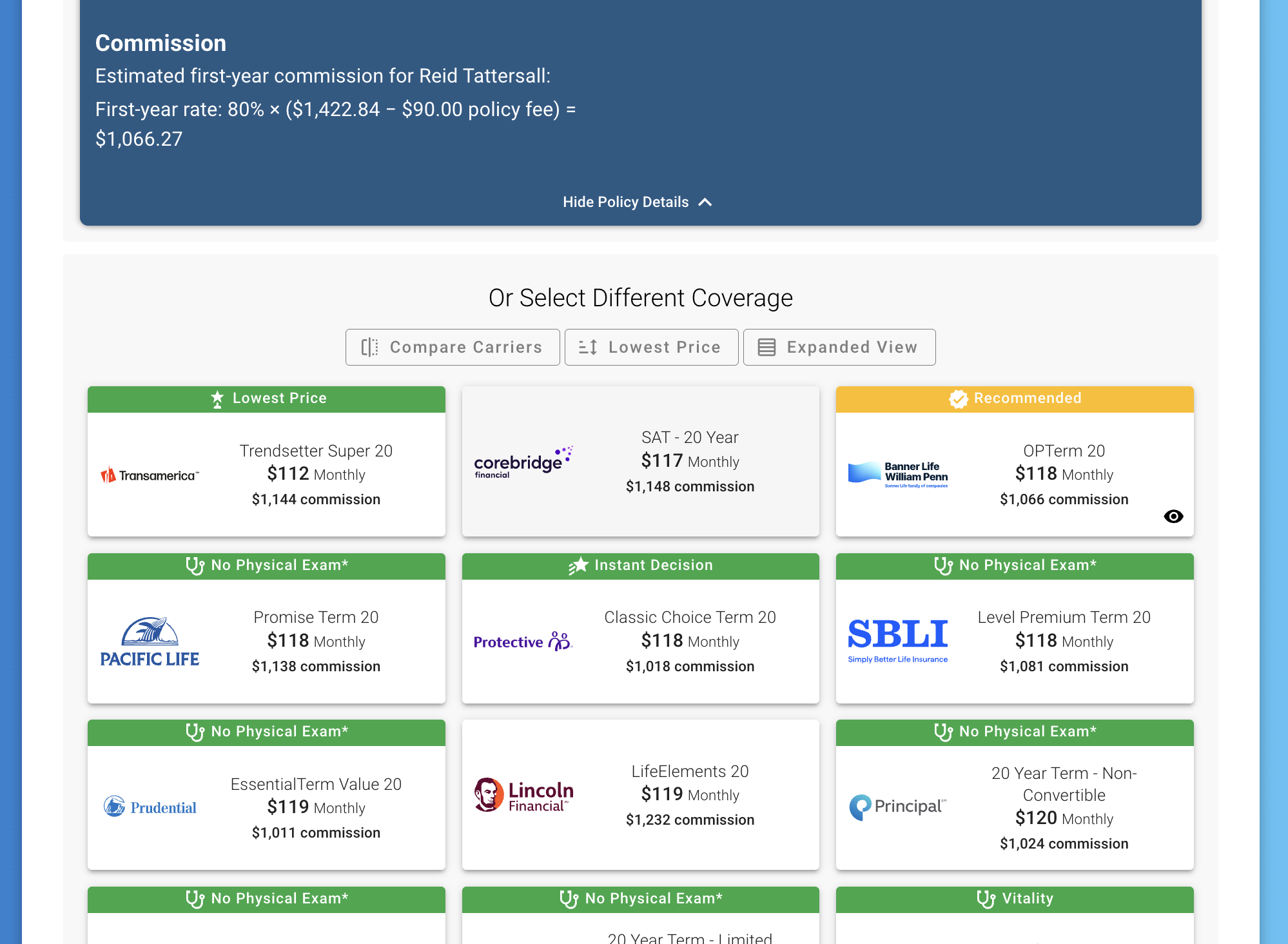
- On the quote step, review commission estimates for the available products.
This option opens Quote & Apply with Commissions Displayed for that session.
Review Commission Estimates
Quote & Apply displays a dollar amount labeled commission beneath the premium. The amount represents the writing agent’s estimated first-year commission, regardless of the premium payment frequency.
The quote’s Commission details explain the calculation, including applicable:
- First-year commission rate and commissionable premium.
- Target premium and excess commission.
- Excluded policy fees.
- Commission splits.
Estimates reflect the application’s writing agent and applicable commission settings.
Sort by Highest Commission
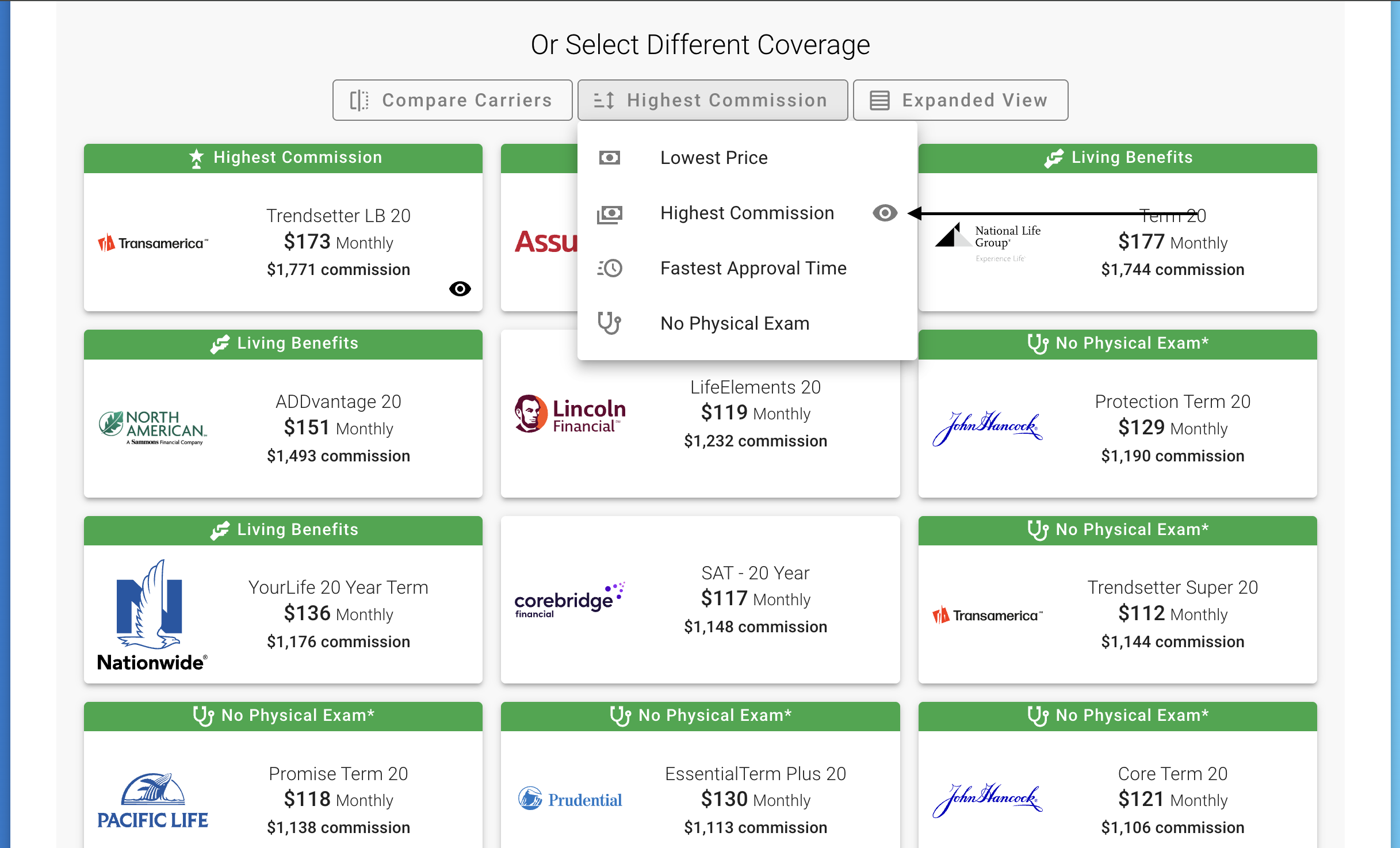
Open the quote sorting menu and select Highest Commission to order results from the largest estimated commission to the smallest.
This option appears when at least one quote has a commission estimate. Quotes without an estimate appear after those with an estimate.
Who Can Use Open wth Commissions Displayed?
Open wth Commissions Displayed is available when commissions are visible for your login and you have the required access to the application’s writing agent. This includes the writing agent, authorized users with payment access to that agent, and users with the appropriate administrative or accounting permissions.
Open wth Commissions Displayed is unavailable when either the application or its Quote & Apply website uses SaaS pricing.
Why Don’t I See Commissions?
The “Open with Commissions Displayed” option is missing
Confirm that the application can still be continued, commissions are visible for your login, and you have the required access. SaaS pricing also prevents Open wth Commissions Displayed from being available.
I opened the application, but commissions aren’t displayed
Return to BOSS and choose Continue dropdown → Open with Commissions Displayed. The standard Continue action and ordinary client links don’t enable Open wth Commissions Displayed.
Sharing the Application with a Client
Use BOSS’s standard Share options to send the application to a client. Ordinary client sessions do not display commission information.
Open wth Commissions Displayed uses an authorized session; adding parameters to a public Quote & Apply URL does not grant commission access.