Passkeys provide a secure, passwordless way to sign in to your BackNine account. They use biometric authentication (Face ID, Touch ID, Windows Hello, etc.) or your device PIN to verify your identity — making login both easier and more secure.
What Are Passkeys?
A passkey is a secure digital credential stored on your device. Instead of entering a password, you authenticate using:
- Face ID
- Touch ID
- Windows Hello
- Device PIN
Passkeys are phishing-resistant and eliminate the need to remember complex passwords.
Enrolling in a Passkey
Once MFA is enrolled, you may be prompted to enroll in passkeys the next time you sign in.
When signing in, you may see a screen suggesting you add a passkey for faster login.
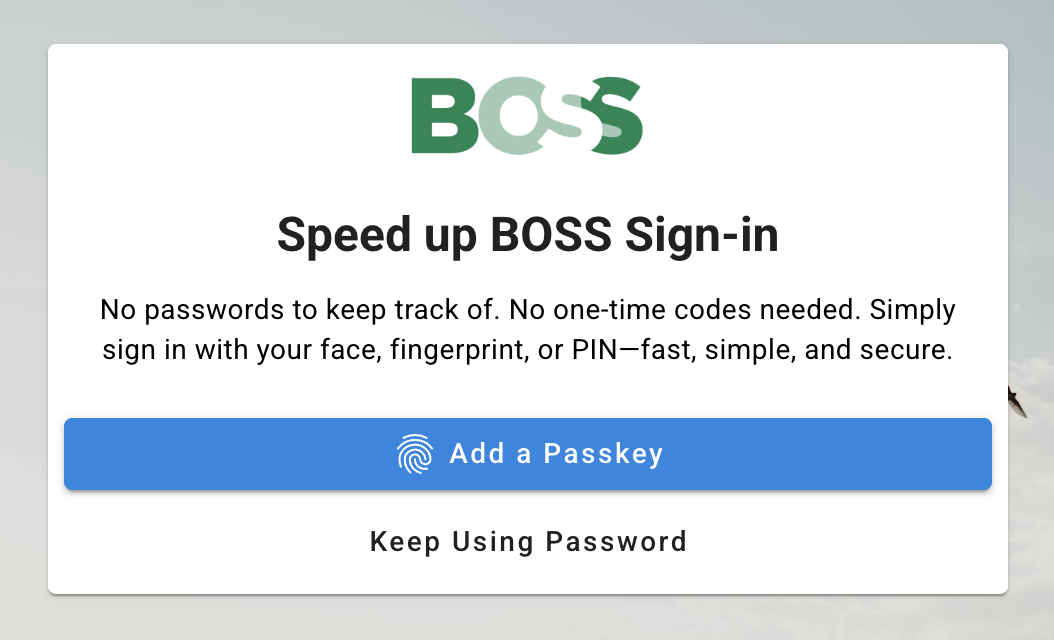
Follow the on-screen instructions to:
- Choose your device
- Confirm using biometrics or device PIN
- Save the passkey
Once enrolled, you can use the passkey for future logins on that device.
Adding Additional Passkeys
You can add more passkeys at any time. This is especially recommended if you:
- Use multiple devices (laptop, phone, tablet)
- Want a backup device configured
- Recently upgraded or replaced a device
Visit your security settings to manage or add passkeys
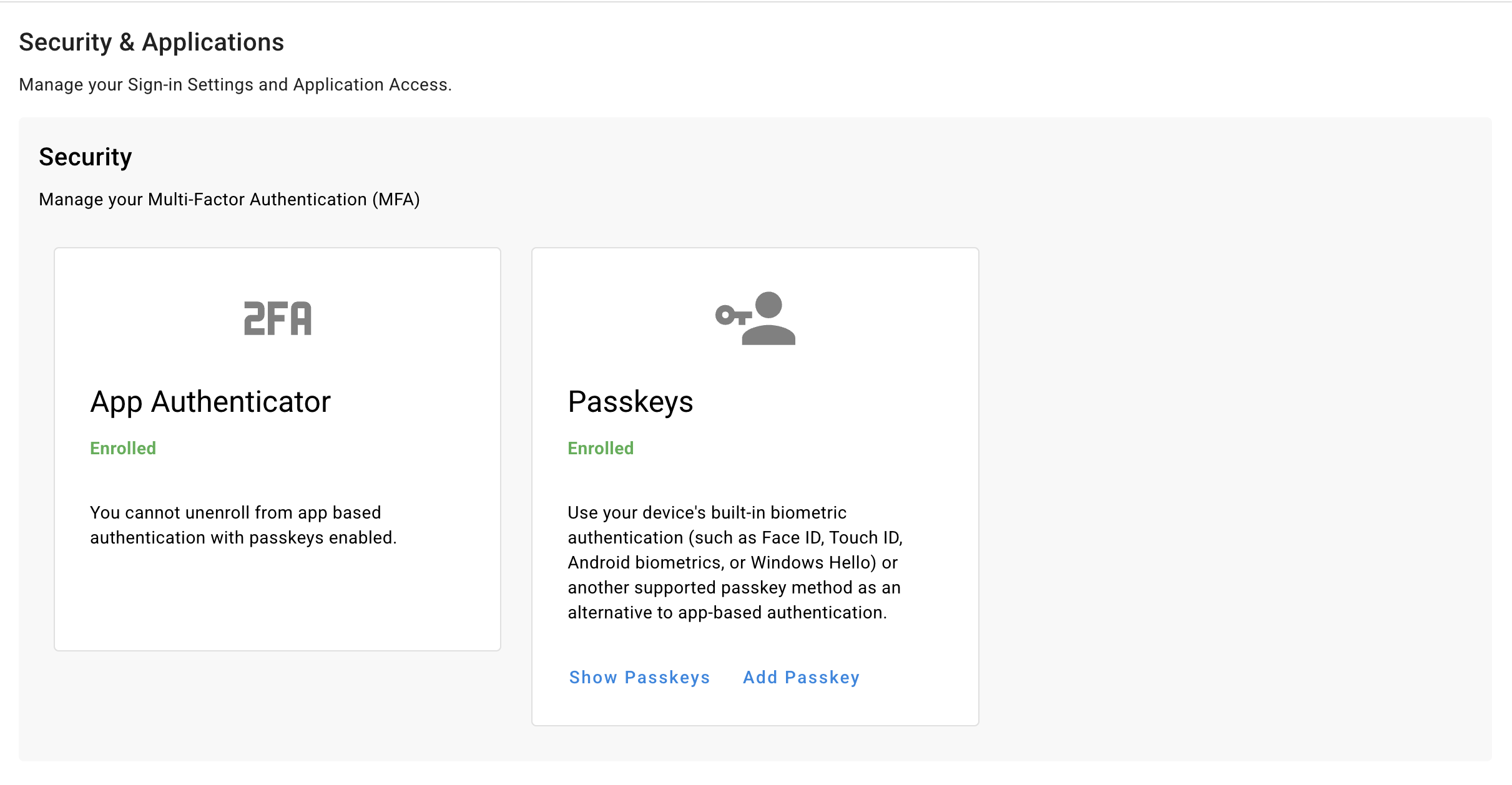
From the Security settings page, you can:
- Add new passkeys
- View existing enrolled passkeys
- Manage your authentication methods
Best Practices
- If you replace a device, remember delete the old passkey and enroll a new passkey.
Need Help?
If you experience issues enrolling in MFA or setting up a passkey, please message your BackNine contact or support team.